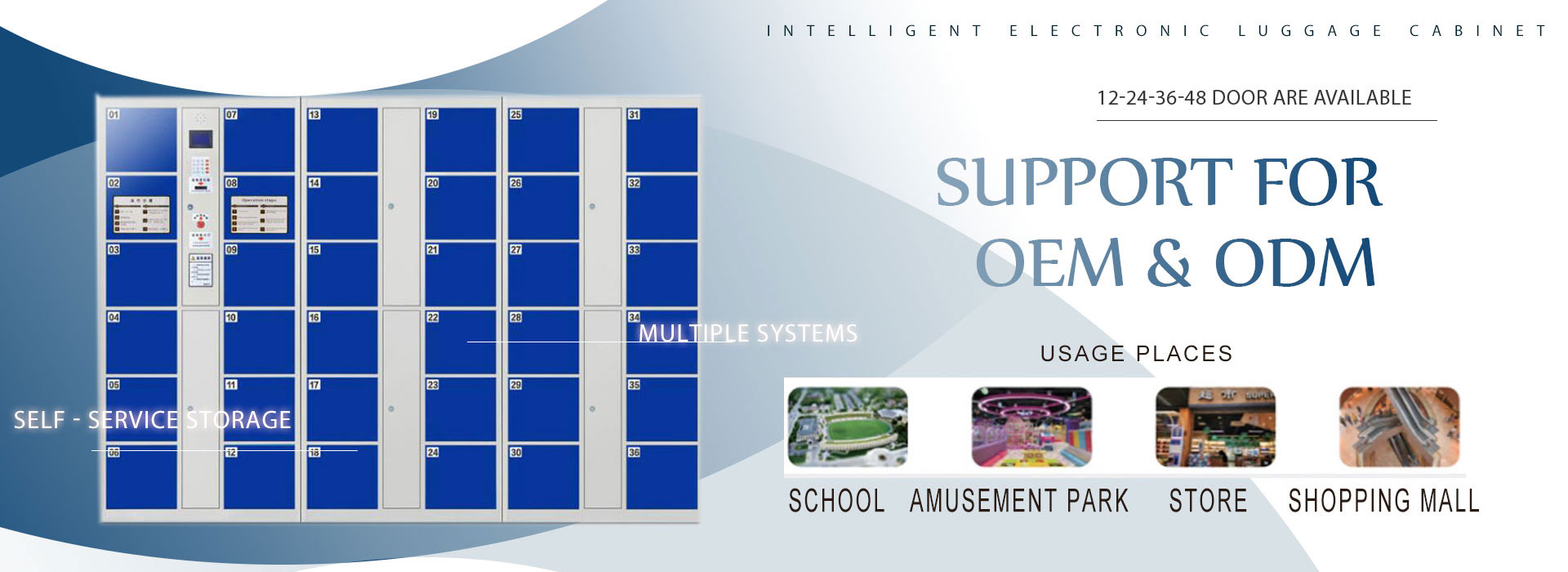
In an office of thirty people, the locker problem is not storage. It is the key register: who has one, who has left, who lost one, and which door needs a new cylinder this month.
Twelve RFID doors remove that register entirely. Staff open a compartment with the badge they already use at the front door, and the admin job becomes a list instead of a box of keys.
A day in the life of a key register
- Monday. A new starter gets a key. Somebody writes their name in a notebook.
- Thursday. A key is lost. Nobody knows which one, so the whole bank is treated as compromised or nobody bothers.
- Next month. A person leaves. The key comes back or it does not, and either way the notebook entry stays.
None of that is a security failure on its own. It is an administrative tax that compounds, and it is the reason offices with more than about fifteen staff stop using keyed lockers properly.
One card, three doors
The reader sits on the control column and reads contactless IC. If the building already uses cards for the entrance, the lift or the printer, the locker is simply the third device that reads the same credential.
That is the whole proposition, and it has one precondition: the card must be contactless. Magnetic stripe cards are being retired and need a different reader; phone-only access needs a different reader again. Send one card physically before the order rather than describing it, because a reader that rejects the badges you already issued is an expensive thing to discover on delivery.
When somebody leaves
Delete the card from the locker’s user list. Thirty seconds, and the credential that opened the door yesterday opens nothing today.
Compare that with a keyed bank, where the same event needs the key back, a decision about whether to re-key, and a purchase order if the answer is yes. The saving is not the cylinder; it is the meeting about the cylinder.
Twelve doors, ten to fifteen people
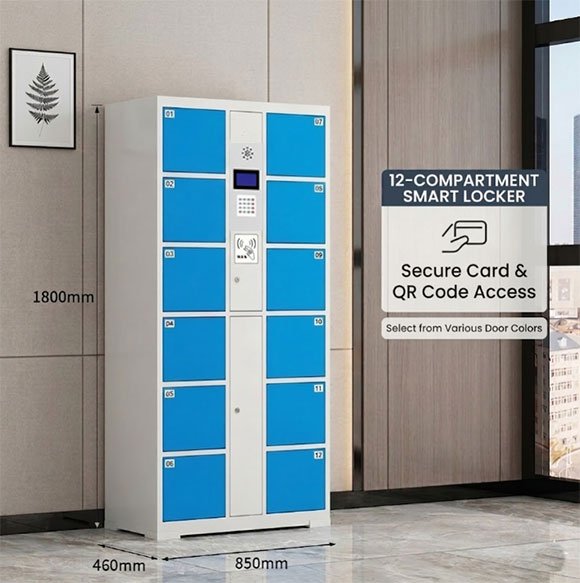
A 12-door bank suits a team of ten to fifteen, and there are two ways to allocate it.
- Fixed. Each person gets a named compartment. Simple, and it wastes doors on the people who are in the office twice a week.
- Shared. Any free door on the day. Fits hybrid teams better, and needs the display to show which doors are free — otherwise everybody opens the same three.
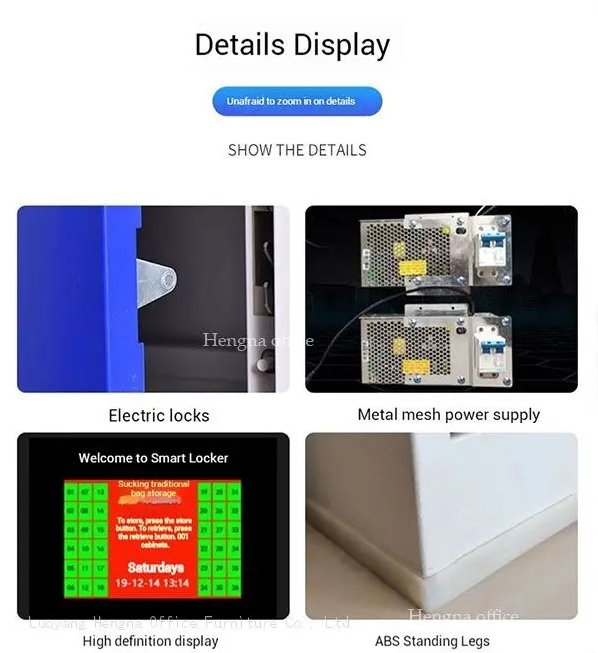
The 7-inch display on the control column does that job: free and occupied, at a glance, without anyone logging into anything.
What the administrator can see
Every opening is logged: which card, what time, which compartment. That record is the answer to the only question that ever gets asked after an incident, which is who opened that door and when.
It is not a room-monitoring system and it does not tell you what is inside a compartment — only which card opened it. If occupancy matters, that is a different sensor and a different conversation.
Standalone, or a network of them
One bank runs standalone. Plug it into a socket, register the cards at the control column, done. No network, no server, no IT ticket.
From about twelve units upwards, networking them becomes worth the trouble: one computer manages the card list across all of them, which is a different administrative job from walking to each cabinet with a master card. Treat it as an option to size at the start, not as something to bolt on later.
The reader on this cabinet is the same one fitted to card lockers for public buildings. The wider range, including fingerprint and barcode access for sites that cannot issue cards to everyone, sits under electronic locker systems.
Where it goes
- The office floor itself, on a wall near the desks, if people store laptops and bags they do not want to carry to a meeting.
- The break room, if the mix is coats and lunch bags.
- The changing room, if the building has showers, in which case the door size matters more than the card reader.
A metre of clear floor in front of the bank is the requirement people forget. Twelve doors opening simultaneously at half past five need somewhere for twelve people to stand.
The four questions IT asks
An office locker project reaches IT eventually, usually the week before installation, and the same four questions come up. The answers are short.
- Does it touch the network? Not for a single bank. The controller is standalone and keeps its own user list.
- Can it use our directory? No. It reads the card, not the identity behind it. Staff are registered on the cabinet, either at the control column or from one computer if the banks are networked.
- Can we export the log? Ask for this in writing. A usage log that can be exported as a file is genuinely useful for an incident; a log that only exists on a 7-inch screen is not.
- What happens in a power cut? The bank stops releasing doors until power returns. Whether it remembers which compartments were occupied depends on the model, and it is worth asking as a specific question rather than assuming.
The argument about the top shelf
Every office locker installation produces the same discussion within a fortnight: somebody’s bag does not fit, and the answer proposed is a taller compartment for everyone.
It is worth checking what actually goes in first. In most offices the tall-door demand comes from three or four people with gym kit or a helmet, not from the whole floor. Reserving a couple of taller compartments, or an open shelf unit beside the bank, keeps the door count efficient and ends the argument.
Specifications
| Item | Value |
|---|---|
| Doors | 12 |
| Body size | H1800 × W850 × D460 mm |
| Access | Contactless IC card, existing staff badge |
| Display | 7-inch screen showing free and occupied doors |
| Feet | ABS legs, 100 mm clearance from the floor |
| Power | One earthed socket |
| Network | Not required for a single bank |
| Colours | White body with blue, police blue, orange-red or fruit green doors |
What to send before the order
- One staff card, physically.
- How many people share the bank, and whether allocation is fixed or shared.
- Whether the site is one bank or several — that decides standalone versus networked.
- A photo of the wall, including the socket.
The door count, the finish and the delivery schedule come back with the quotation.
The print-room option is covered in steel printer cabinets, with the floor-standing version in floor standing printer cabinets.