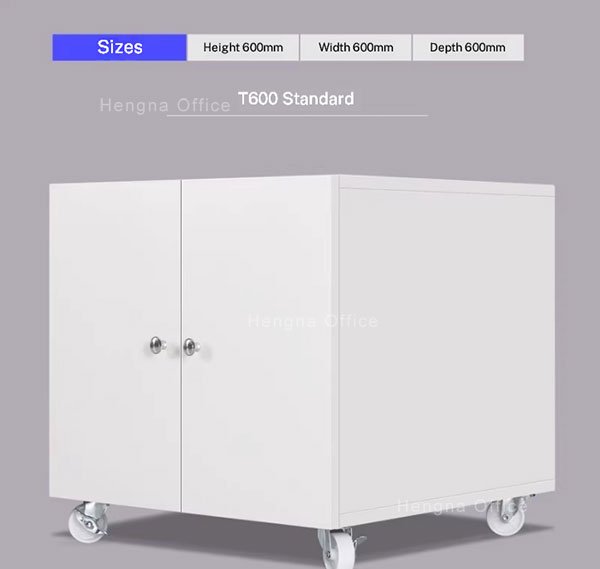
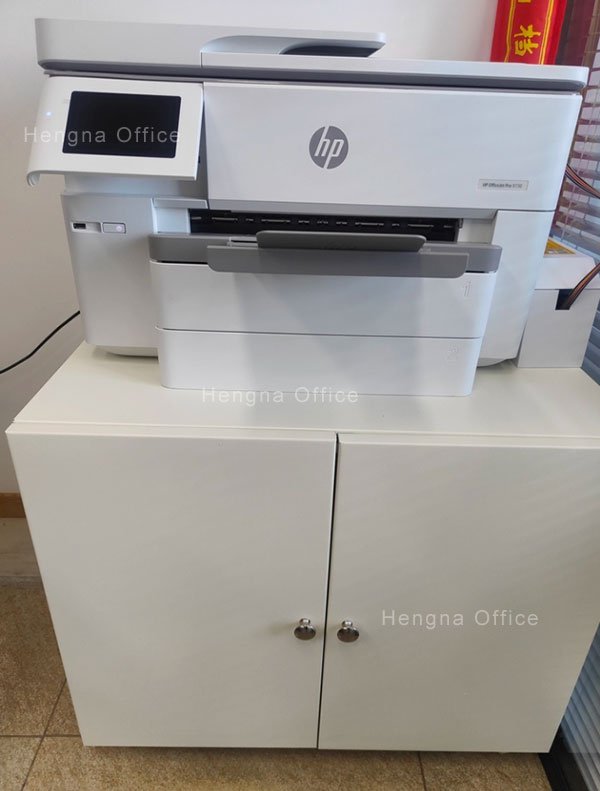
Every office has a paper problem. Not in the digital sense — in the physical sense.Copy paper arrives in boxes of five reams. Each ream weighs about 2.5KG. A five-ream box is roughly 12KG of paper sitting on the floor beside a printer, accumulating dust, getting kicked, and creating a fire hazard in some jurisdictions.Offices solve this badly. Cardboard boxes on the floor. Existing filing cabinets repurposed and emptied. A chair that nobody sits in anymore.The Hengna Model 2 Steel Floor Standing Printer Cabinet was designed to solve the paper problem directly. The interior bay is tall enough and deep enough to hold a full five-ream copy paper box flat — not standing on edge, not stacked precariously, but placed flat on the bottom panel, taking up no more floor space than the printer cabinet itself.
Multiple ream boxes stacked flat (up to 3 boxes depending on shelf height)
Upper storage zone (shelf set to mid-height):
Toner cartridges and printer consumables
Reference binders and procedure manuals
Small equipment and tools
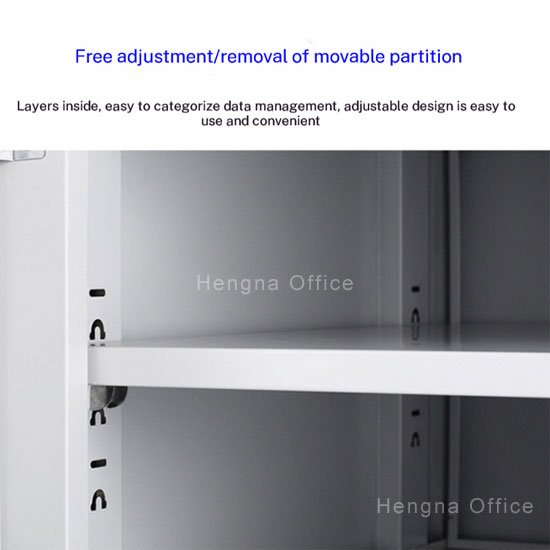
Shelf adjustment: The shelf moves in 260mm increments. Set it at 260mm from the bottom for a two-tier system: lower bay for boxes, upper zone for small items. Set it at 520mm for a larger lower bay with less overhead clearance.
The shelf can also be removed entirely for one large open bay — 560mm of usable internal height.
Standing Height Is the Right Height
The 690mm overall height puts the top platform at counter-standing height. This is intentional.
When a printer sits on a standard low cabinet or on a desk, you are bending or reaching. When the same printer sits on the Model 2 top platform, it is at a height you access without adjustment — standing, comfortable, fast.
For departments and shared print stations, this is not a luxury. It is a workflow feature. Every interaction with the printer — loading paper, collecting printouts, checking toner — happens at standing height, without interrupting whatever else is happening at the workstation.
The difference in daily motion adds up. Over a year, staff members at a standing-height printer station will spend fewer cumulative minutes in awkward postures than staff using a low platform.
Department Copy Room Configuration
The Model 2 works best when it is part of a deliberate copy room setup. Here is how to configure it for high-volume department use:
Step 1 — Position the unit Place the Model 2 in a central location with at least 600mm of clearance on two sides. This gives access to the storage bay and the caster locks. If possible, position near a paper delivery route so ream boxes arrive and go directly into the cabinet.
Step 2 — Load the paper supply Place the primary paper supply in the lower bay. With the shelf set low, one full five-ream box fits flat. Additional ream boxes stack beside or behind it, or on the adjustable shelf.
Step 3 — Organize consumables on the shelf Toner cartridges, maintenance kits, and printer accessories go on the adjustable shelf at a comfortable reach height.
Step 4 — Configure casters for stability Lock the casters. Confirm zero wobble. For permanent installations, consider removing the casters and using the unit with a fixed base.
Step 5 — Label the cabinet A simple label on the front door (“Paper Storage — Printer 1” or “Forms and Supplies”) keeps the cabinet organized and signals its purpose to new staff members.
“We used to keep a week’s worth of paper in a cardboard box beside the printer. It looked terrible and it was always in the way. The Model 2 sits beside our copy station and holds two full boxes of paper, plus toner for both our printers. Staff just open the door and grab what they need.” — Carol F., Office Manager, Milwaukee, WI
“The shelf inside is actually adjustable — I moved it up to hold toner boxes and brought the lower bay down for paper. Took about five minutes to figure out the right setup.” — Carol F.
Frequently Asked Questions
Q: How many reams of paper can the Model 2 hold? A: With the shelf set to minimum height (260mm from the bottom), the lower bay holds one full five-ream copy paper box flat. If you remove the shelf entirely, you can store two to three additional boxes by stacking them flat behind and beside the first box. Total capacity: approximately 15–25 reams, depending on configuration.
Q: Does the cabinet ship with the shelf installed? A: The shelf ships loose and is installed during assembly. The adjustable mounting holes are pre-drilled at 260mm increments.
Q: Can I use this cabinet without the casters? A: Yes. The Model 2 is designed to work with or without casters. For permanent installations, the caster mounts bolt directly to the base frame — you can leave the casters off for a fixed-base installation.
Q: What is the inside width of the storage bay? A: Approximately 560mm usable width, 560mm usable depth. This fits standard A4 hanging file folders side by side (typically 240mm per folder, 2–3 folders comfortably).
Q: Can I use this in a school copy room? A: Yes. Schools are one of the primary use cases for the Model 2. A school copy room typically needs paper storage, toner storage, and a central printer at a standing-accessible height. The Model 2 addresses all three needs in one unit.
Q: Is the door soft-close? A: No. The door uses a standard friction hinge. If soft-close action is required, you can upgrade to a soft-close hinge on bulk custom orders.
Why “50% More Storage” Is Not a Gimmick
When the Model 2 Steel Floor Standing Printer Cabinet is compared to the Model 1 (690mm vs. 450mm), the interior vertical space increases by approximately 240mm.
That 240mm is not just more room — it is the difference between storing 2–3 reams and storing a full five-ream box. It is the difference between stacking toner boxes and storing them upright on a dedicated shelf.
In a department that consumes paper at scale, this is not a feature. It is the ROI. The cabinet pays for itself in recovered floor space and eliminated waste within the first few months.