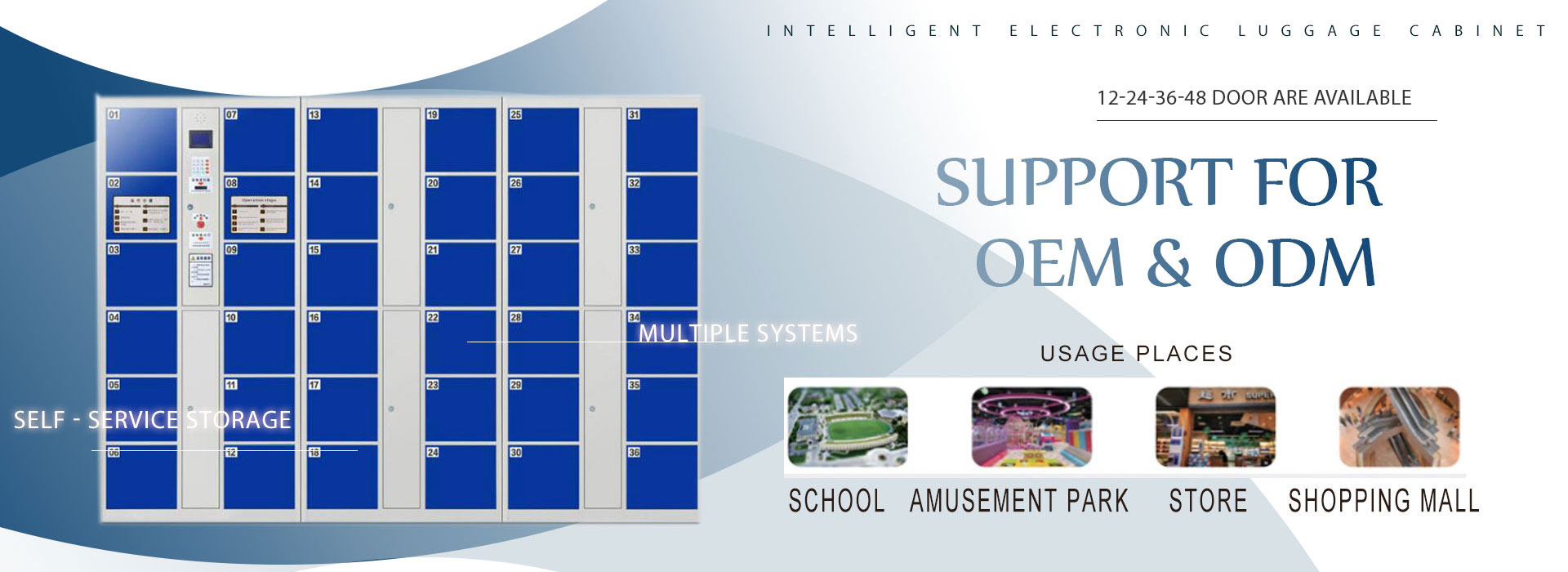
Whether you’re shopping at a mall, working out at the gym, or studying in a library, smart electronic locker systems have become an indispensable tool for managing personal belongings safely and efficiently. These systems combine cutting-edge technology with user-friendly design to solve common pain points—like lost items, long wait times, and security concerns—while enhancing the overall experience for both users and businesses. Let’s dive into what makes these systems so useful, their key features, and where they shine in real-world applications.
I. Core Advantages and Product Highlights
Smart electronic lockers stand out thanks to their human-centered design and advanced hardware, making them both intuitive and reliable.

A. Humanized Design: Simple, Safe, and Convenient
- Intuitive Operation: No complex steps—just follow on-screen or voice prompts. For example, swipe card users only need to tap their card to open a locker, while fingerprint users can store items with a single touch.
- Real-Time Feedback: A large LCD screen displays locker numbers and statuses (e.g., “Occupied” or “Available”), so you always know where your items are.
- Friendly Interface: Clear icons and multilingual support make the system accessible to everyone, from tech-savvy millennials to seniors.
B. Robust Hardware Configuration
- Voice Prompts: A built-in speaker guides you through every step (“Please swipe your card,” “Close the door to save”), eliminating confusion.
- Durable Components: Crystal-clear buttons resist wear, while a high-resolution LCD screen ensures easy readability even in bright light.
- Versatile Authentication: Supports barcode scanning, swipe cards, fingerprints, and self-coded passwords—catering to diverse user needs.

II. Detailed Operation Processes for Different Models
Each smart locker type offers unique benefits, tailored to specific scenarios. Here’s how to use them:
.jpg)
A. Barcode-Type Lockers: One-Time Use, Maximum Security
Ideal for places like supermarkets or event venues where users don’t need repeat access.
- Storage Process:
- Press the “Store” button.
- Take the printed barcode ticket.
- Place your items in the assigned locker and close the door.
- Retrieval Process:
- Scan the barcode ticket at the scanner.
- The locker opens automatically—take your items.
- Close the door; the ticket becomes invalid.
*Key Feature*: Each ticket is one-time use, preventing unauthorized access.
B. Swipe Card Lockers: Perfect for Regular Users
.jpg)
Great for gyms, offices, or member-only spaces where users carry cards daily.
- Storage Process:
- Swipe your card at the reader.
- The locker opens—store your belongings.
- Close the door to lock it.
- Retrieval Process:
- Swipe your card again.
- Retrieve your items and close the door.
*Key Feature*: Cards can be reused, making it convenient for frequent visitors.
C. Fingerprint Lockers: Biometric Security for Sensitive Items
Best for banks, corporate offices, or high-security areas where only authorized users should access contents.
- Storage Process:
- Press the “Store” button.
- Place your finger on the scanner to register your print.
- Store your items and close the door.
- Retrieval Process:
- Scan your fingerprint.
- The locker unlocks—take your items.
- Close the door.
*Key Feature*: Fingerprints are unique, ensuring only you can access your locker.
D. Self-Coded Lockers: Password Flexibility for Everyone
Suitable for libraries, community centers, or any place where users prefer not to carry physical cards.
- Storage Process:
- Press the “Store” button.
- Enter a 6-digit password of your choice.
- Store your items and close the door.
- Retrieval Process:
- Press the “Retrieve” button.
- Enter your password.
- Take your items and close the door.
*Key Feature*: No need for cards or biometrics—just remember your password.
III. Shared Features Across All Systems
No matter which model you choose, smart lockers include these essential features:
- Voice and Screen Guidance: Step-by-step instructions ensure you never get stuck.
- Real-Time Monitoring: Managers can track locker status (occupied, available) remotely.
- Automatic Reset: Once you retrieve your items, the locker resets—no manual intervention needed.
- Multi-Authentication Support: Many systems let you switch between barcode, card, fingerprint, or password, giving users flexibility.
.jpg)
IV. Ideal Use Cases for Smart Electronic Lockers
These systems fit seamlessly into various environments, enhancing efficiency and security:
A. Malls and Supermarkets
Shoppers can store bags, jackets, or purchases while browsing. Barcode lockers are popular here—they’re quick and disposable.
B. Gyms and Swimming Pools
Members use swipe card lockers to store towels, keys, or phones during workouts. The reusable card feature saves time for regulars.
C. Offices and Schools
Employees or students store laptops, backpacks, or personal items securely. Fingerprint lockers add an extra layer of protection for company property.
D. Libraries and Public Spaces
Self-coded lockers let visitors store books or coats without needing a card. The password option is perfect for people who forget physical tokens.
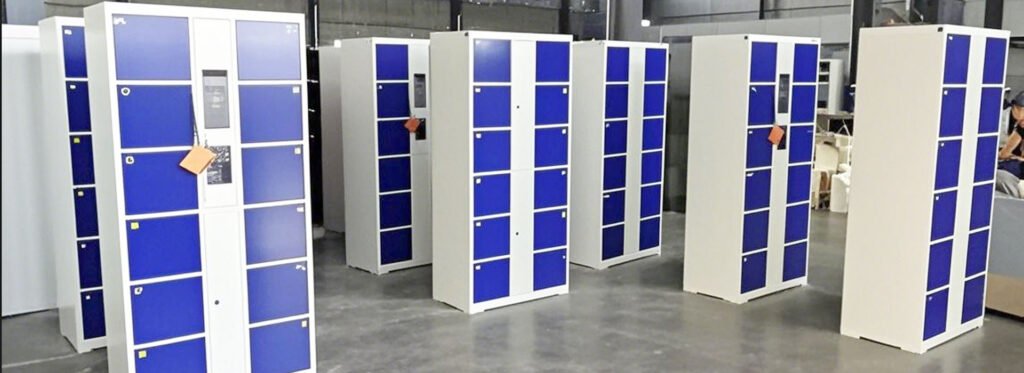
Smart electronic locker systems are more than just storage solutions—they’re designed to make life easier. With intuitive interfaces, multiple authentication options, and real-time feedback, they cater to everyone from busy shoppers to security-conscious businesses. Whether you’re running a mall, gym, or office, these systems boost user satisfaction while keeping belongings safe. As technology advances, expect even more innovations—like mobile app integration or AI-powered monitoring—to make smart lockers even more useful.